

If you run a business today, your applications are your storefront.
For some, it’s a billing system.
For others, it’s a CRM, an eCommerce site, a logistics portal, or a simple internal tool.
But regardless of the industry, one truth is universal:
When your app goes down, business slows down.
When it slows down, customers leave.
When customers leave — revenue leaves with them.
That’s why APM Monitoring is no longer something only big enterprises need. SMBs today run on real-time digital operations, and even a five-minute outage during peak hours can snowball into complaints, support load, and financial loss.
Let’s talk about how SMBs can avoid that — in a simple, clear, practical way.
What exactly is APM Monitoring?
Instead of a technical definition, think of it like this:
APM Monitoring is like a 24×7 health tracker for your application.
Just like a smartwatch tracks heartbeat, sleep patterns and alerts you early —
APM keeps an eye on response time, errors, user experience, backend load and tells you when something is about to go wrong, even before users notice.
It’s proactive, not reactive.
You’re not waking up to problems —
You’re catching them before they become problems.
Why is App Availability such a big deal for SMBs?
Because customers today don’t wait.
They expect:
✔ Fast apps
✔ Smooth checkout
✔ No loading spinner longer than a cup sip
If a page freezes, they refresh.
If it fails twice, they close the tab.
If it happens often, they never come back.
A downtime or lag doesn’t just cause inconvenience — it affects trust.
And trust lost is the hardest cost to recover.
Let’s put it simply:
App Availability = Business Availability.
Application Uptime = Revenue Protection.
How APM Monitoring actually helps
Let’s break it down in non-technical language.
1. It shows what’s happening inside your app in real time
Did the login API slow down today?
Is the database struggling during peak traffic?
Is your server running low on memory?
APM answers these instantly — live — without guesswork.
You see when something starts becoming slow, not just when the app crashes.
2. It reduces downtime dramatically
Most issues don’t appear suddenly.
They build up silently over time:
- Memory usage creeps up
- A slow DB query takes longer each day
- A code deployment introduces a hidden delay
APM Monitoring detects these patterns early and alerts you.
Your team fixes it before users scream on support chat.
3. It helps you find root cause faster
Without APM, troubleshooting is like searching in the dark.
“Is it the server?”
“Maybe a database?”
“Try restarting everything?”
With APM:
You know exactly where the bottleneck is.
You don’t guess — you know.
4. It shows what users really experience
Sometimes everything looks healthy on the backend, yet users are unhappy.
The page feels slow.
Buttons take time to respond.
Mobile apps lag only on certain networks.
APM monitors end-user experience, so you don’t rely only on dashboards — you understand reality.
APM Monitoring vs Traditional Monitoring
Let’s compare like humans, not machines:
| If you use basic monitoring… | With APM Monitoring instead… |
| You know when server is up/down | You know why it slowed down |
| You react when things break | You prevent breakage |
| You see infrastructure health | You see application health |
| Fixing takes longer | Fixing takes minutes |
Traditional monitoring says “something broke.”
APM Monitoring says “here’s where it broke and why.”
That’s the difference.
A real-world scenario
Imagine you run an SMB SaaS app.
Monday morning — peak login time.
Suddenly users say it’s taking 10 seconds to load the dashboard.
Support tickets start piling.
Your tech team scrambles.
The boss calls every five minutes.
With APM in place:
You would’ve seen an increasing response time trend on Friday.
You get an alert: DB query response time rising.
The team patches it before the peak load surge.
Users never even know a problem exists.
That’s the power of APM Monitoring.
Key capabilities SMBs actually use (and need)
Not all features in the world matter. These do:
- Slow query detection
- Transaction tracing (the journey of a request)
- Error + Exception tracking
- Resource usage visualization
- Real-time anomaly alerts
- Performance trend reports
These are the features that literally protect uptime.
APM for SMBs vs Enterprises
Enterprises have multiple environments, distributed clouds, and complex stacks.
SMBs just want one thing:
Keep my app stable, fast, and available without needing 10 engineers.
Good APM tools make this possible.
Lightweight. Affordable. Easy dashboards. Clear alerts.
You shouldn’t need a PhD to understand your app’s health.
Microservices, Cloud & Kubernetes — Why SMBs Need APM More Today
Even small businesses now use cloud-native stacks, modular apps, and third-party integrations.
If one component slows, everything slows.
APM Monitoring connects the dots:
Frontend → Backend → Database → API → Cloud Node → Container
You get a visual flow of the request path.
One red node — instantly spotted.
No more guessing which microservice is guilty.
Implementation Roadmap for SMBs
Step 1 — Choose what to monitor first
Critical apps > Non-critical apps
Start small.
Step 2 — Deploy APM agent
Two-minute installation in most cases.
Step 3 — Set alerts thoughtfully
Not too many, not too few.
Step 4 — Watch trends weekly
Prevention is smarter than resolution.
Step 5 — Review before new releases
Performance regression is real.
Why Observelite APM?
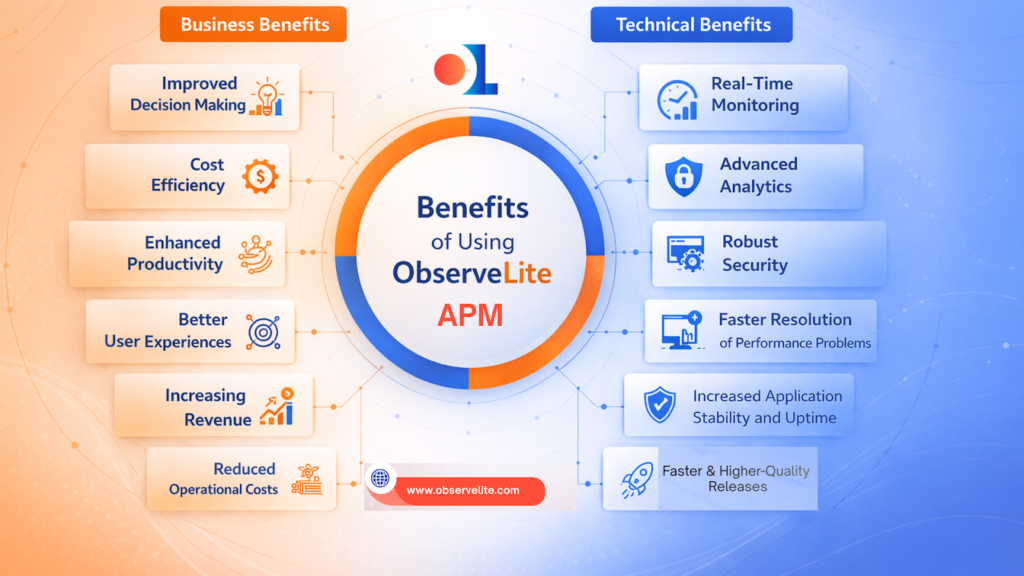
Observelite helps SMBs get APM Monitoring without complexity overload.
Clean dashboards, fast insights, and alerts that actually matter.
You see:
🟢 What slowed down
🟢 Why it slowed
🟢 Where you should fix
🟢 How to keep uptime high
No jargon, just clarity.
Final Thoughts
You don’t notice oxygen until it’s gone.
Applications are exactly that for modern businesses.
When they run well — nobody talks.
When they slow down — everyone talks.
APM Monitoring keeps everything running quietly in the background,
so customers stay happy, teams stay confident, and your business stays uninterrupted.
If your app is your revenue — uptime should be your priority.
If you want to reduce downtime stress, troubleshoot faster, and keep your app running smoothly — we’re happy to show you how APM can help.
Schedule a walkthrough with Observelite.
Just one session can prevent the next outage.
